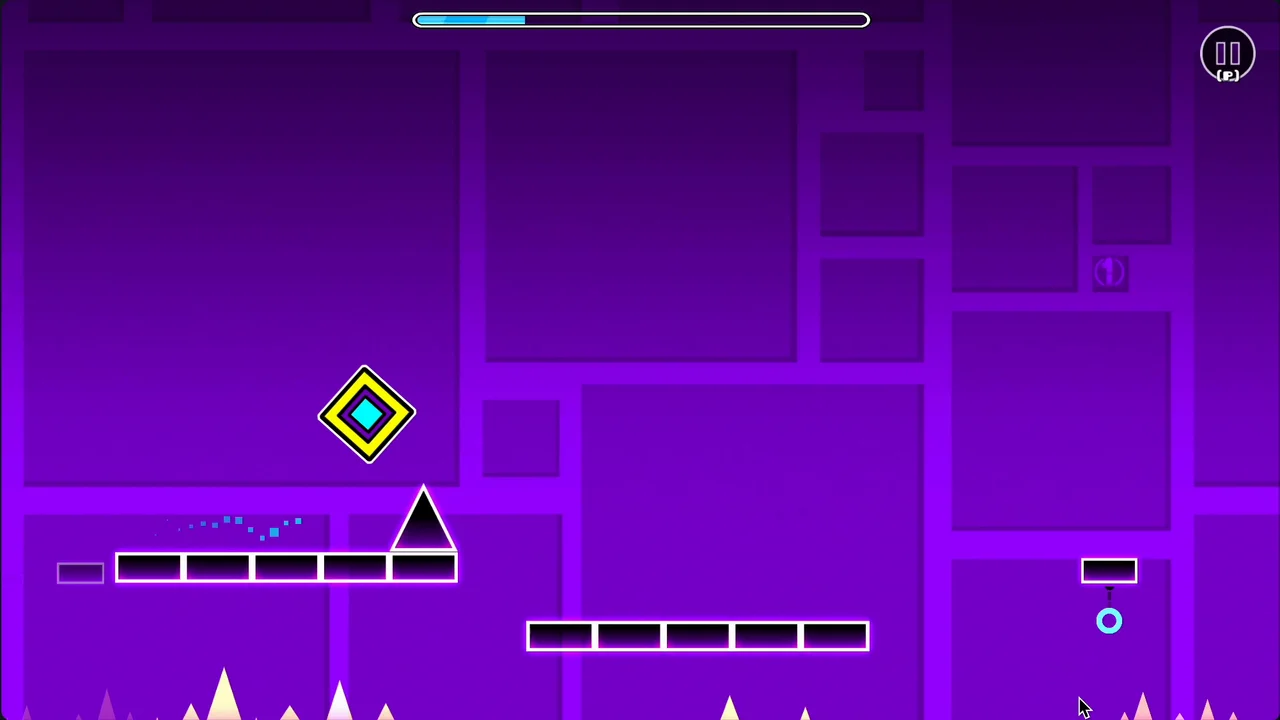
Jump, fly, and flip your way through dangerous passages and spiky obstacles in Geometry Dash, a fast-paced, rhythm-based platformer where a single mistake sends you right back to the start. The perfect synchronization between the pounding soundtrack and tight jumps makes every "impossible" level incredibly addictive once you finally get into the groove.
Game Overview
Geometry Dash is a brutally unforgiving yet deeply rewarding one-tap platformer. Your objective is simple: guide your icon from the start of the level to the finish line without crashing. However, zero mistakes are allowed. The moment you hit a spike or a wall, your icon shatters, and you are instantly sent back to the very beginning of the level—no loading screens, just pure trial and error.

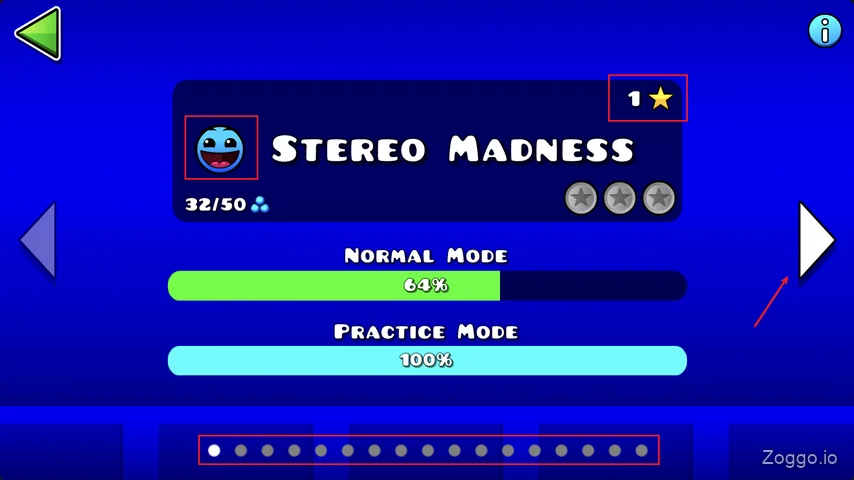
Every jump and maneuver is perfectly synced to the music, meaning the rhythm often acts as your guide. Even the very first level requires significant practice, as it is surprisingly long and split into four distinct phases testing your reflexes. To help you gauge what you're up against, the game features a clean UI where you can easily check the difficulty of a stage through expressive face icons and star ratings.
Control & How to Play
The beauty of Geometry Dash lies in its beautifully simple single-input system. You only need one button to overcome the hardest challenges:
- Jump / Fly Up: Press Spacebar, Up Arrow, Mouse Click, or tap the screen.
- Hold & Release: In Ship or Wave mode, hold the button to fly upward and release it to gracefully drop down.

- Place Checkpoint (Practice Mode): Press Z to drop a manual checkpoint.
- Delete Checkpoint (Practice Mode): Press X to remove the last auto-placed checkpoint.
Game Modes
Geometry Dash features several unique vehicles that completely alter your movement style. Mastering a level means mastering the transitions between these modes:
- Cube: Jumps at a fixed height. (Tap to jump)
- Ship: Flies freely up and down. (Hold to fly up, release to drop)
- Ball: Rolls along surfaces and switches gravity. (Tap to flip)
- UFO: Flaps through the air. (Tap to boost upward)
- Wave: Moves in a diagonal zigzag. (Hold to go up, release to go down)
What Makes Geometry Dash Fun
Flawless Rhythm-Action Loop
Unlike traditional platformers where you dictate the pace, Geometry Dash forces you to move to its beat. Every obstacle placement and timing window corresponds with the background track. When you finally string together a perfect run, it feels less like playing a game and more like performing a musical masterpiece.
Seamless Mode Transitions

The game constantly keeps you on your toes by altering how you move mid-level. You might be timing precise jumps as a Cube one second, and the next, you are launched through a portal that instantly changes your gravity and transforms you into a flying Ship.
Endless Replayability and Customization
Completing levels rewards you with secret coins that can be used to unlock a massive variety of skins, colors, and trails to customize your icon. Combined with an Endless mode experience and millions of user-created levels online, the game offers a limitless well of content for players pushing their reaction boundaries.
Tips & Strategy
- Master Practice Mode with Z and X: Never attempt to clear a hard level flawlessly right away. Jump into Practice Mode first. Instead of just relying on the game's auto-checkpoints, use the Z key to manually place a save point before a tricky jump. If the game auto-saves you in a bad spot, use X to delete it. This lets you loop and memorize the hardest sections efficiently.
- Stay Centered in Ship Sections: While the Cube sections require exact jump timing, the Ship phases (like sections 2 and 4 in the first level) can actually feel easier if you play them smart. Obstacles typically grow from the top and bottom of the screen. Try to keep your ship hovering right in the middle, and make micro-adjustments rather than drastic dives.
- Rely on the Music: If you're unsure when to jump, listen to the beat. The rhythm cues almost always signal an upcoming obstacle before you even see it visually.
- Take Breaks: Because levels can be long and require absolutely no mistakes, it's easy to get frustrated. If you find yourself dying at the very beginning repeatedly, step back and relax your hands.
The Challenge Ladder
Levels in Geometry Dash are categorized by a difficulty star rating system, indicated by the face icon on the level select screen:
- ⭐ 1–2 Stars (Easy): Great for learning the basic timing.
- ⭐⭐⭐ 3–5 Stars (Normal/Hard): Introduces portals, gravity flips, and tighter jumps.
- ⭐⭐⭐⭐⭐⭐ 6–7 Stars (Harder/Insane): Requires extreme precision, fast reflexes, and level memorization.
- 👿 10 Stars (Demon): The ultimate test of human reaction time, reserved for the absolute elite.
FAQ
Q: Is Geometry Dash free to play?
A: The core game is a paid title on Steam and mobile. However, there is a free version called Geometry Dash Lite available on mobile devices, offering a selection of official levels so you can test your skills before buying.
Q: How do I unlock Demon levels?
A: You need to collect a specific number of secret coins, which are hidden in challenging alternate pathways throughout the standard official levels.
Q: Can I create my own levels?
A: Yes! The game includes a powerful level editor. The community has built over 100 million custom levels, ranging from traditional platforming challenges to completely reinvented mini-games.
Q: Does practice mode count towards my level completion?
A: No. Practice Mode is strictly a training tool to help you learn the layout and master tough sections using checkpoints. To officially clear a level and earn stars, you must complete it in normal mode with zero mistakes from start to finish.
Gameplay Video
Want to see the rhythm-based chaos in action? Check out this actual gameplay footage showcasing the fast-paced transitions between the Cube and Ship mechanics in Level 1.